Most smart lock reviews are really app reviews. They tell you whether the phone connects, whether the voice assistant answers, whether the setup wizard is friendly. They almost never tell you what happens when somebody who wants to be inside your house is standing on the other side of that door. This list starts from the opposite end: we care about the cylinder, the bolt, the grade stamped on the box, and whether the company that made it will still be answering the phone in three years. Ten locks, ranked, plus the two that arrived in 2026 and changed what a front door can do.
Locks that open as you walk up to them finally shipped in 2026, and they work — sometimes. The company behind the prettiest lock on this list lost its founders and most of its engineering team in a single week. Wyze sells two different locks under one name, with opposite security arguments. And the ownership of these brands is not what most articles will tell you it is.
Grades first, though, because everything below depends on them. Locks in the United States are graded by two organisations working together: the American National Standards Institute (ANSI), which publishes the standard, and the Builders Hardware Manufacturers Association (BHMA), which certifies products against it. You will see "Grade 1" and "Grade 2" throughout this page. What those actually mean is further down, and it is not what the packaging implies.
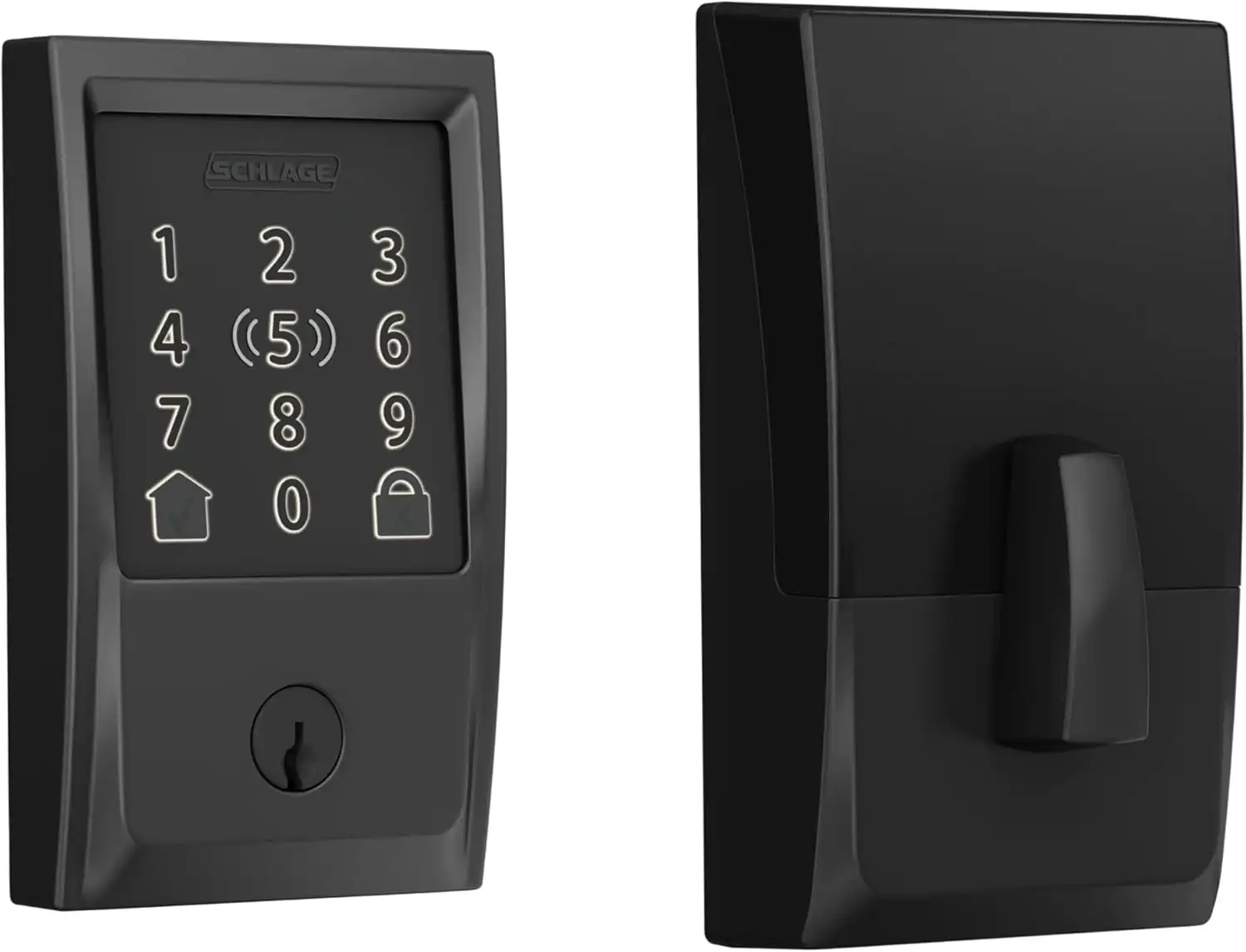
The only lock here certified to both the commercial deadbolt standard and the top residential mark, with built-in Wi-Fi, tap-to-unlock, a tamper alarm and a lifetime mechanical warranty. Boring, heavy, and better at the actual job than anything else on the list.
- Dual certified — commercial Grade 1 and residential AAA
- Most reliable Apple Home Key on the market
- Built-in Wi-Fi — no hub, no bridge
- Built-in alarm on forced entry and door movement
- 100 schedulable access codes
- Lifetime mechanical warranty
- Its parent company did not change hands
- Big. There is no hiding this thing
- No fingerprint reader
- Six months of battery is mid-table now
- Schlage's own flagship undercuts it on grade (see below)
- Regularly listed at $329 when it has street-priced far lower for years
Here is the thing almost every other article gets wrong about this lock. Schlage's own specification sheet for the BE499 lists two certifications: ANSI/BHMA A156.36 Commercial Grade 1, and ANSI/BHMA A156.40 Residential Grade AAA. Those are different standards measuring different things, and the Encode Plus holds both. Calling it "Grade 1, the highest residential rating" — as roughly half the internet does — collapses two facts into one wrong one. Grade 1 is the commercial scale. AAA is the residential top mark. This lock has cleared both bars, which is genuinely rare and considerably more impressive than the sloppy version.
What that buys you in practice: a bolt tested to 250,000 cycles, ten impact blows at 75 foot-pounds with the lock still working afterwards, and a 20-minute fire door listing. The tamper alarm is a real one — it responds to the door being struck or the lock being worked at, not just to a wrong code. Apple Home Key is the standout convenience feature, and it is the only reliability number on this page we have from someone who ran the locks side by side: a reviewer who lived with the Encode Plus, the Yale Assure 2 Plus and the Level Lock+ for several months reported the Schlage opening on the first tap upwards of 99% of the time, with Yale close behind. That is one person's experience over months, not a laboratory measurement, and we are labelling it as such.
One figure you will find circulating about this lock: that its anti-drill pins resisted high-speed steel bits for over four minutes. We do not repeat it. It traces to a site claiming its own 2026 laboratory results in an article published in December 2025, whose companion "kick test" finding is simply the published ANSI Grade 1 specification restated as though it were a measurement. Treat any drill time quoted for a consumer deadbolt the same way — almost nobody actually runs that test. If you want the cylinder story rather than the marketing, our Schlage B60N review covers what a Schlage cylinder resists; the Encode Plus uses the same family.
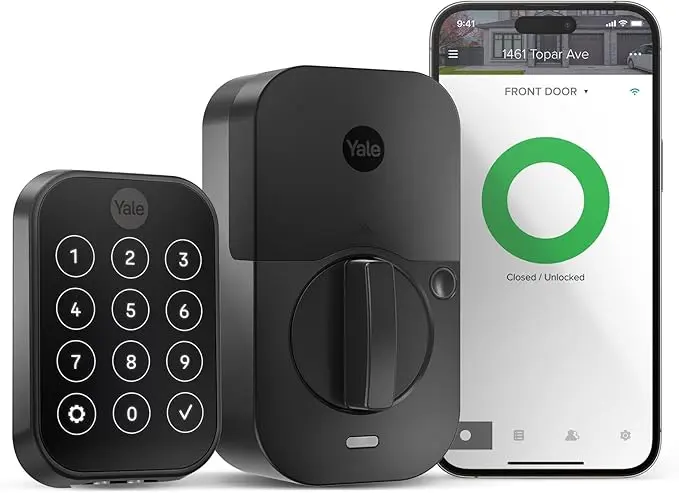
One lock body, four different radios, and a key-free version with no cylinder at all. If you do not know which smart home platform you will be on in three years, this is the lock that does not care.
- Swap the radio, keep the lock — $50 module beats a $250 replacement
- Key-free version has no cylinder to pick, bump or drill
- DoorSense reports whether the door is actually shut
- Touch model reads a fingerprint in under half a second
- 9V emergency terminals on the outside — no lockout
- Widest platform support of anything here
- Grade 2, not Grade 1
- Battery life claims and owner reports do not agree
- Wi-Fi module is an extra $50–80
- The model number soup is genuinely hostile (see below)
- Key-free version means one more thing that can strand you
The modular design is the whole argument. Every other lock here bakes its radio into the body, so switching ecosystems means buying a new lock. The Assure 2 takes a module the size of a stick of gum. Move from Google to Apple, or bring an old Z-Wave hub into the picture, and you swap a part rather than a product.
The key-free version is the one worth thinking hardest about, and it is the most interesting lock on this page from a picking standpoint. There is no keyway. Not a hardened one, not a high-security one — none. Every technique in the lock picking repertoire needs somewhere to put a tension wrench, and this door does not have one. It is also, obviously, the lock that leaves you standing outside in the rain if the electronics fail, which is why the 9V emergency terminals under the keypad are not a gimmick. Yale's own manual documents holding a 9V battery against the two contacts below the keypad to wake the lock long enough to type your code. We checked, because a claim like that is exactly the sort of thing that gets attached to the wrong lock — it holds up.
Two cautions. First, battery life: Yale rates the lock at up to twelve months, and owner reports routinely land at three to six, particularly on Z-Wave with a thin mesh. Take the rating as a ceiling, not a forecast. Second, ownership, which nobody mentions and which affects who honours your warranty: Yale in the United States and Canada is a Fortune Brands product, not an ASSA ABLOY one. That has been true since June 2023 and articles published this year still get it wrong. The ownership section explains how that happened. Our full Yale Assure Lock 2 review goes deeper, and August vs Yale covers the sibling rivalry.
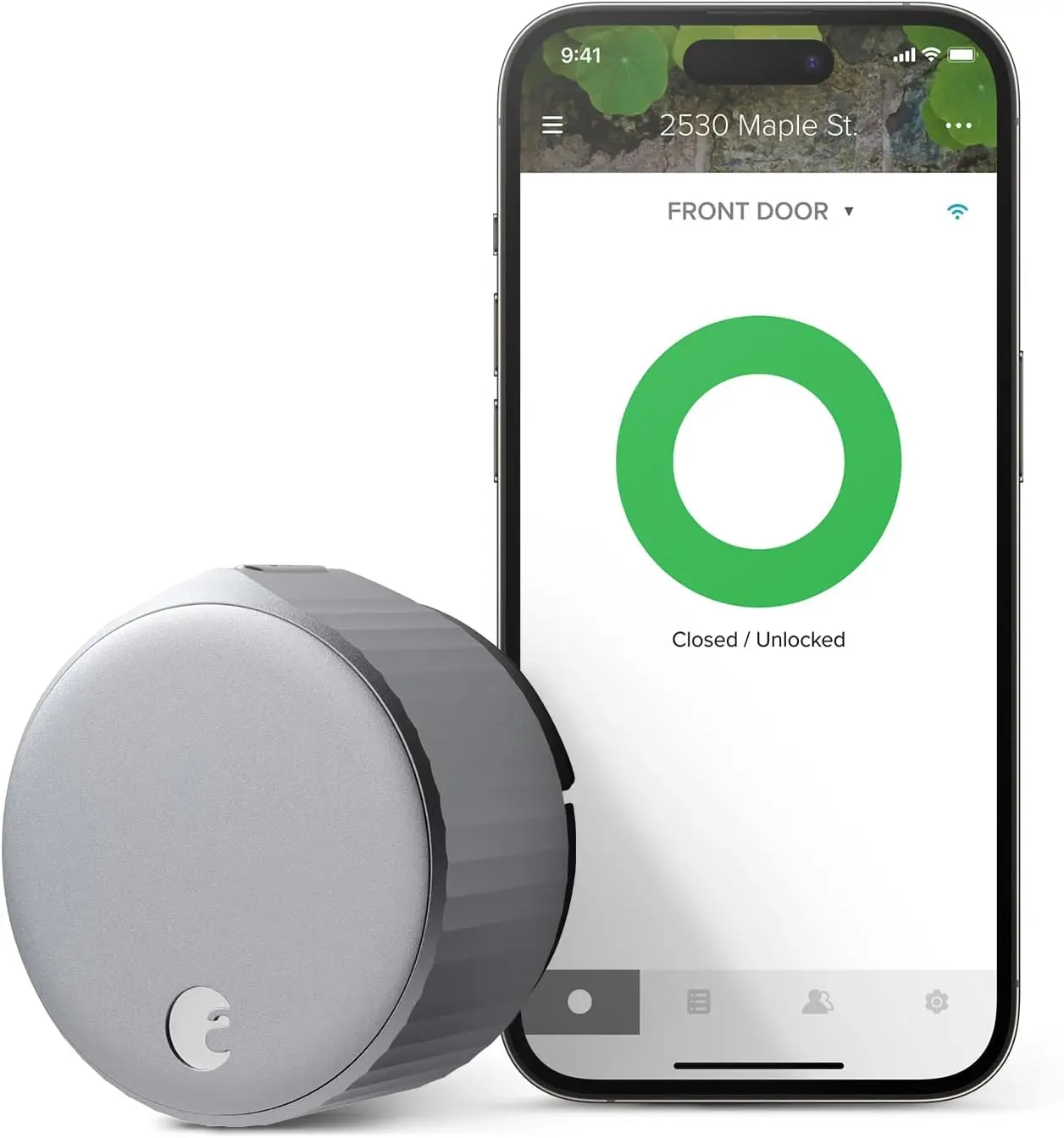
Mounts over the deadbolt you already have in about twenty minutes with a screwdriver. The outside of your door does not change, your keys keep working, and your landlord never needs to have an opinion about it.
- Keeps your existing deadbolt, keys and exterior hardware
- Twenty-minute install, no drilling, fully reversible
- DoorSense catches the "locked but the door is open" failure
- Auto-unlock as you arrive genuinely works
- Built-in Wi-Fi with no bridge
- Patched a serious disclosed vulnerability in about ten days
- Carries no grade of its own, ever
- CR123A cells are expensive and short-lived here
- No Matter support
- Chunky on the inside of the door
- A discontinued brand name in slow motion
Retrofit locks do not have grades. They cannot. A grade is awarded to a bolt, a cylinder and a housing tested as an assembly, and the August is none of those — it is a motor that turns the thumbturn you already own. Any article that assigns this lock a Grade 2 has made something up. What you are actually buying is a remote control for your landlord's deadbolt, and if that deadbolt is the fifteen-dollar builder special, you have bought a smartphone interface for a weak lock. Pair it with something like a Schlage B60N and the combination is genuinely strong. That is not a caveat, it is the entire calculation.
The security history here is worth knowing and, unusually, ends well. At DEF CON 24 in 2016, a researcher working under the name Jmaxxz presented Backdooring the Frontdoor — a teardown of August's system that bypassed certificate pinning, mapped the whole API, escalated a guest account to owner, and found credentials sitting in debug logs. It was a bad day. August shipped fixes in roughly ten days, which by the standards of this industry is close to heroic; you will read further down what "we'll get to it" looks like at other companies. Our full August review covers the current state.
The awkward part is the brand's future. This is the last August-branded lock in production. Its successor is sold as the Yale Approach, from the same owner, doing the same job. The hardware you buy today keeps working, but do not expect a fifth generation.
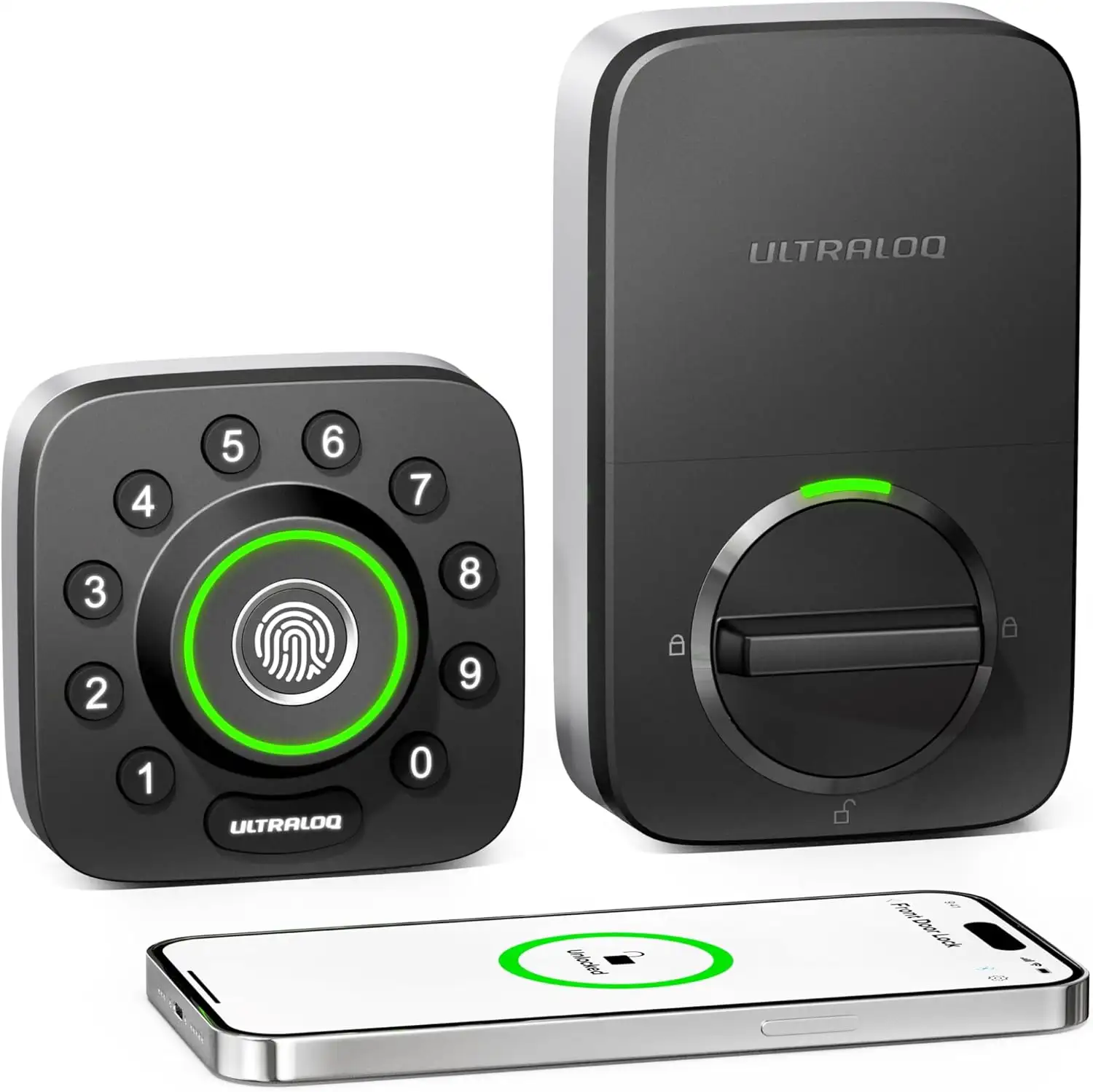
Six ways in, a fast fingerprint reader, a real door sensor, and a price that has quietly fallen by half. Also the lock that taught us to read certification language very carefully.
- Around half what it cost when this list was written
- Fast, accurate 360-degree fingerprint reader
- Anti-peep keypad accepts padding digits around your code
- Built-in door sensor, not just bolt position
- External battery jump if the cells die
- Enormous installed base — problems are well documented
- The Grade 1 claim does not survive scrutiny
- No Apple Home support at all
- 2.4GHz only, and owners report locks dropping off Wi-Fi
- Battery drain complaints are common and long-running
- Fingerprint struggles wet or dirty
Start with the good news, because there is a lot of it. At the price this lock now sells for, the feature list is absurd: fingerprint, keypad, key, app, geofenced auto-unlock and a shake-to-open gesture, plus a proper door sensor that tells you the door is shut rather than merely that the bolt has moved. The anti-peep keypad is a real security feature rather than a marketing one — you can bury your actual code inside a longer string of nonsense digits, so a neighbour watching you type learns nothing. For a side door or a garage entry it is difficult to argue with.
Now the part that belongs on a lock site. Ultraloq's marketing says the U-Bolt Pro is ANSI/BHMA A156.36 Commercial Grade 1. On Amazon it is described as "Certified Highest Security and Durability." On Walmart the product title says "ANSI Grade 1 Certified." On Ultraloq's own product page, the same lock is described as one that "Meets ANSI A156.36 Grade 1 Standard."
Those are not the same claim. "Meets" means the manufacturer believes its product would pass. "Certified" means an accredited third-party laboratory tested it and BHMA listed it. PCWorld put this directly to BHMA, whose spokesperson said that "meets standards" language is considered misleading and that they write to companies asking them to actually certify the product, adding that misuse of BHMA certification logos on uncertified hardware is commonplace. PCWorld's own conclusion on this specific lock was that it meets Grade 1 standards according to the manufacturer but is not certified as such.
We are not calling the lock weak. We have not tested it, and it may well be every bit as tough as claimed. What we are saying is that on the one specification that is supposed to be independently verifiable, you are being asked to take the manufacturer's word for it — and two different sentences on two different retail pages for the same product cannot both be right. We show you how to check this yourself further down. It takes about ninety seconds and it works on every lock on this page.
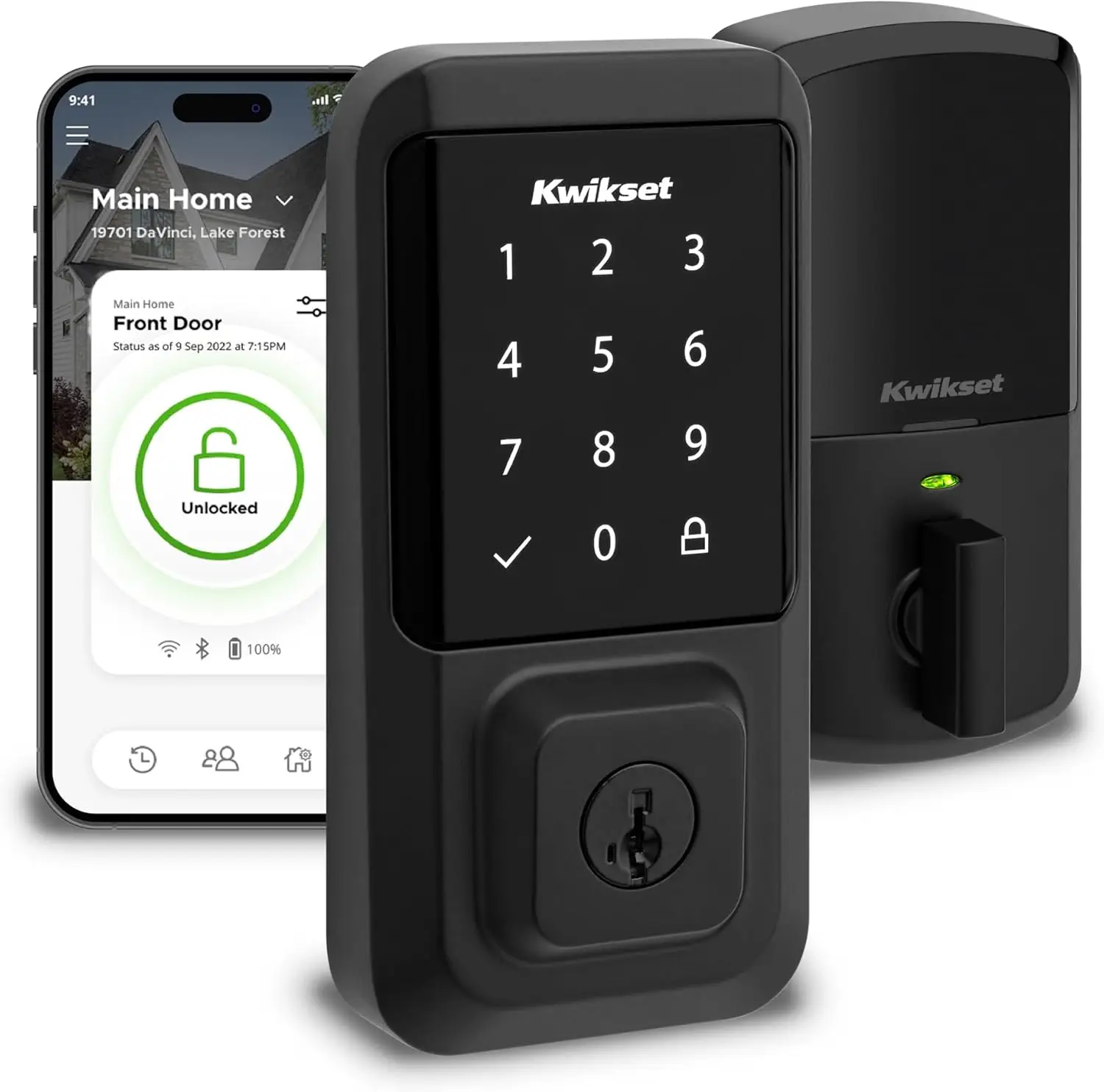
Re-key it yourself in about fifteen seconds when a roommate moves out. Stores a hundred fingerprints, needs no hub — and carries a cylinder with a more complicated reputation than the box suggests.
- Re-key yourself in seconds, no locksmith, no cost
- Structurally immune to bump keys — there are no driver pins
- Rakes and combs do nothing to a wafer sidebar
- 100 fingerprints, built-in Wi-Fi, no hub
- Strong independent scores for kick-in and pick resistance
- Documented torque bypass on the SmartKey cylinder
- A trade tool exists that decodes it non-destructively
- Flagged as notably vulnerable to drilling
- No keypad — fingerprint or key only
- No Apple Home, no Home Key
SmartKey deserves a straight explanation, because it is genuinely clever and genuinely compromised, and most reviews pick one of those and stop. It is not a pin tumbler cylinder. It uses five wafers and a side-locking bar, covered by patents US 6,978,647 and 7,225,651. Because there are no driver pins, there is nothing for a bump key to bounce — the whole attack is structurally impossible. Raking does nothing either. On the two most common ways an amateur opens a cheap deadbolt, SmartKey simply wins.
The trade-offs are real and specific. At DEF CON in 2013, Tobias and Bluzmanis demonstrated a torque bypass: a four-inch screwdriver and a wrench, roughly fifteen seconds, at around 100 pound-inches of force against a 300 pound-inch standard. There is also a documented decoding attack, and a LockTech SmartKey Decoder sold to the locksmith trade that reads wafer positions non-destructively on every generation of the cylinder. And the key space is smaller than it looks: 7,776 combinations in theory, but with half-cuts accepted at every position the practical figure is closer to 243. One more thing worth knowing before you force a stuck cylinder: a SmartKey turned over by force will keep working with its original key but will never accept a re-key again.
None of that makes this a bad lock for a suburban front door, where the realistic threat is a boot rather than a bypass tool. It does mean "SmartKey is more secure" is not a sentence anyone should write without qualification. Our Schlage vs Kwikset comparison takes the cylinder argument apart properly.
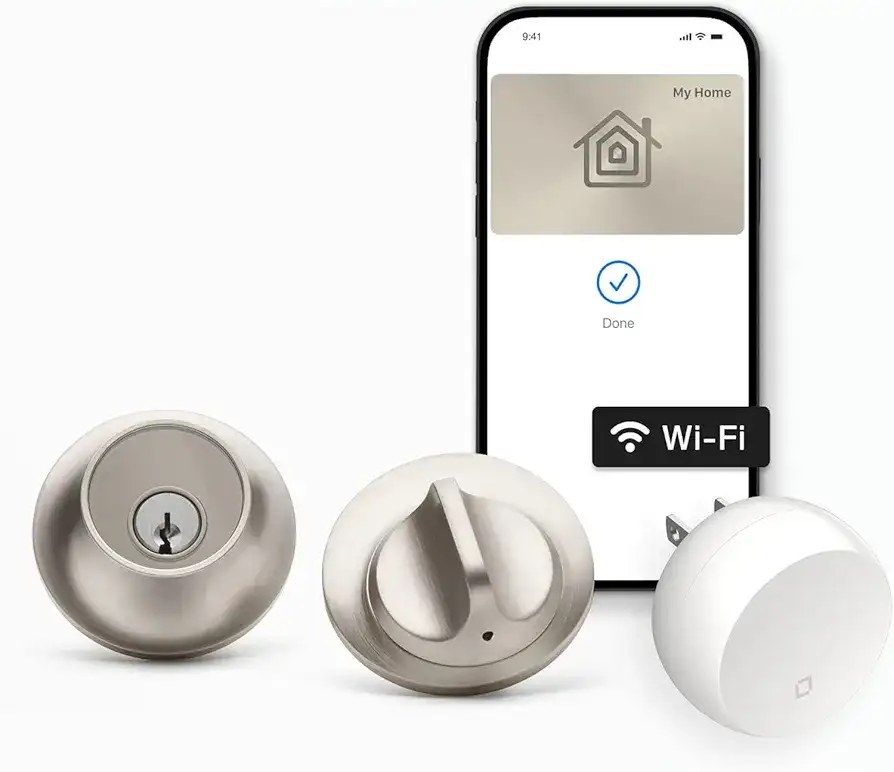
The entire mechanism lives inside the bolt. From outside it is an ordinary deadbolt with no keypad, no logo and no tell. Beautiful engineering, and the one entry on this list where you need to think about the company as well as the product.
- Genuinely invisible — no exterior sign it is smart
- Certified AAA for security, durability and finish
- Apple Home Key and Matter
- Nothing on the outside for anyone to attack or photograph
- Heavily discounted lately if you are willing to gamble
- Its parent just cut most of the team that builds it
- Best features depend on a cloud with an unclear future
- Small CR2 motor struggles on a misaligned door
- Keypad and Wi-Fi bridge are extra
- Roughly one first-tap Home Key failure in ten, per one long-term reviewer
As an object this is the best-made thing on the page. Level was founded in 2016 by ex-Apple engineers, and it shows: the motor, gearbox, battery and radio all fit inside the deadbolt itself, so the exterior is a plain metal cylinder and the interior is a plain thumbturn. Nobody looking at your door can tell it is smart, which means nobody can case the electronics either. It is certified AAA — best available in all three residential categories.
Then the corporate part, which is now unavoidable. ASSA ABLOY acquired Level in September 2024 — a company with about seventy staff and roughly $16 million in 2023 sales. In late June 2026 The Verge reported that ASSA ABLOY had laid off the majority of Level Home's workforce, including co-founders John Martin and Ken Goto and most of the engineering organisation, retaining a small group to finish a product aimed at apartment buildings. ASSA ABLOY disputed that the brand is being discontinued, said Level continues to operate as a business within the group, said it would keep developing, selling and supporting the platform, and clarified afterwards that Level is not being folded into Kwikset.
Here is the practical translation, and it is more reassuring than the headline. Locking and unlocking through Apple Home or Matter is processed locally on your network — that keeps working regardless of what happens in Redwood City. The Level app, auto-unlock and door status updates run through Level's cloud infrastructure. ASSA ABLOY has announced no plans to switch those off. But if you are spending real money on a lock, you are entitled to know that the convenience half of it depends on servers belonging to a business that just lost its founders, inside a group whose North American residential sales are falling.
One historical footnote we cannot resist. ASSA ABLOY was compelled by the Department of Justice in 2023 to sell its United States residential smart lock business. Fifteen months later it bought a United States residential smart lock business. Twenty-one months after that, it cut most of the staff.
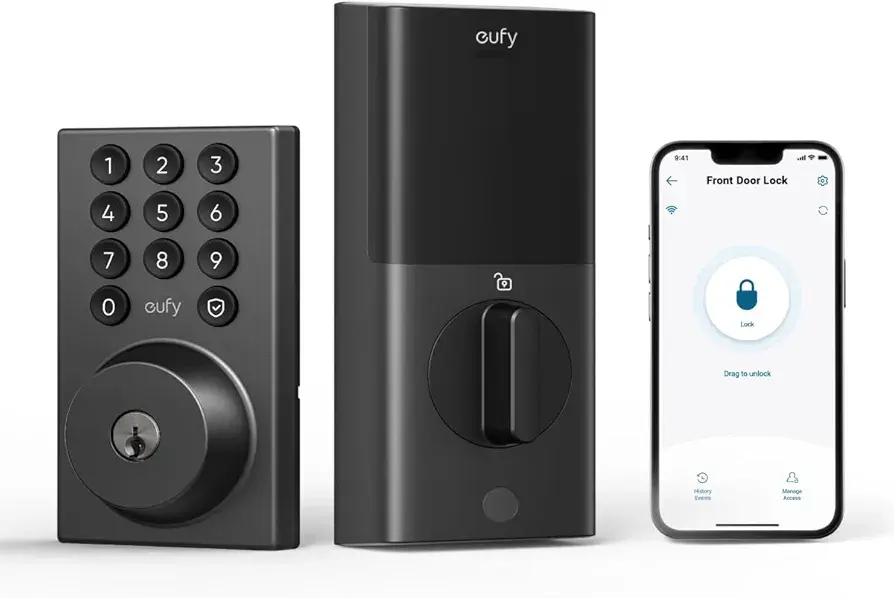
Fingerprint, keypad, key and app for well under two hundred dollars, in a weather-sealed body with the longest quoted battery life here. The value pick, with an asterisk about the company rather than the lock.
- Cheapest credible fingerprint-plus-keypad lock here
- IP65 sealing matters on an exposed door
- Longest quoted battery life on the list
- Real physical key backup
- Independent testing rates it well for kick-in and picking
- No Apple Home support
- Parent company has a documented credibility problem on privacy
- Has a keyway, so drilling remains on the table
- Grade varies across the eufy lock range — check the exact model
- Shorter warranty than the premium brands
Nothing here is subtle. It is a competent fingerprint deadbolt that costs meaningfully less than the Ultraloq and Kwikset while doing most of the same things, and the IP65 rating is not decoration — if your door faces weather rather than sitting behind a storm porch, sealing is one of the few specifications that reliably predicts whether a lock is still working in year four.
The asterisk is about Anker, and it needs stating carefully because it is exactly the kind of claim this site is supposed to get right. The eufy privacy scandal was about cameras, not locks. The S230 has no camera and none of what follows happened to it. But it tells you something about how the company behaves when its marketing and its engineering disagree.
In late 2022 the UK security researcher Paul Moore demonstrated that eufy devices sold under the slogan "No Clouds or Costs" were uploading name-tagged thumbnail images, including facial recognition results, to Amazon Web Services servers — while the user had cloud storage switched off and local storage selected. The Verge reproduced it and went further, streaming footage from a eufy camera from the other side of the country with no encryption at all. Anker first denied parts of it, then conceded that identifiable images were uploaded for notification purposes, then admitted in a forum post that it "must be more clear" about which processes were local, and finally acknowledged in early 2023 that the cameras had never been end-to-end encrypted.
If you buy this lock, you are buying good hardware from a company that was caught advertising a privacy property it did not have and took months to say so plainly. For a lock — which transmits far less about you than a camera does — that may be a trade you are comfortable making. Make it deliberately.
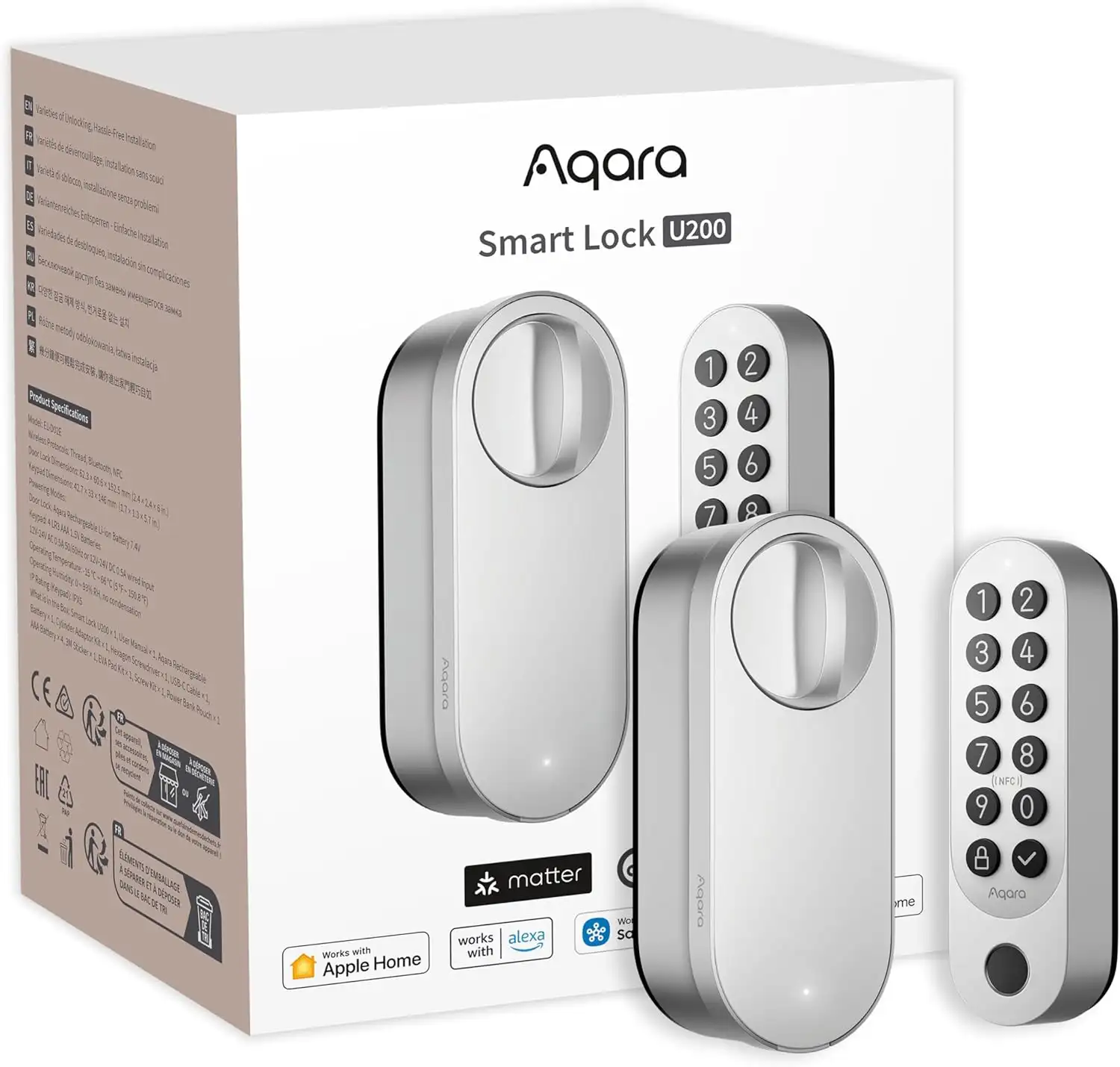
Matter over Thread natively, on every major platform, with no hub required and a rechargeable battery. Still the widest-compatibility lock per dollar, and now the cheaper sibling of Aqara's ultra-wideband flagship.
- Native on all seven major platforms — no hub for any of them
- Matter over Thread is the protocol everyone agreed on
- Apple Home Key on a retrofit body
- Rechargeable — no disposable cells, ever
- Keeps your existing deadbolt and keys
- Slots into Aqara's own sensors and cameras cleanly
- Retrofit — inherits whatever deadbolt is under it
- Needs a Thread border router for anything remote
- No keypad in the box
- Fingerprint requires a separate accessory
- Newer product, thinner long-term track record
Matter over Thread is worth understanding properly, because it is the one specification on this page that will still matter in 2031. Matter is the interoperability standard Apple, Google, Amazon and Samsung all signed up to. Thread is the low-power mesh radio it runs over. Between them they mean a device that does not need a manufacturer's cloud, does not need a manufacturer's hub, and does not become a paperweight when a company reorganises — which, as the Level entry above demonstrates, is not a hypothetical concern.
What makes the U200 more interesting than its flashier successor is that it is native everywhere. The newer U400 needs an Aqara hub to reach Google Home and Alexa; the U200 does not. If your household is mixed — an iPhone, an Android, an Echo in the kitchen — the older lock is the better citizen. Both still need a Thread border router somewhere in the house for remote access, which in practice means a recent Apple TV, a HomePod, a Nest Hub or an Echo with Thread onboard.
The retrofit caveat from the August entry applies here in full. This is a motor on your existing bolt. Its certification describes the retrofit assembly, not the deadbolt underneath, and the deadbolt underneath is what somebody actually has to defeat.
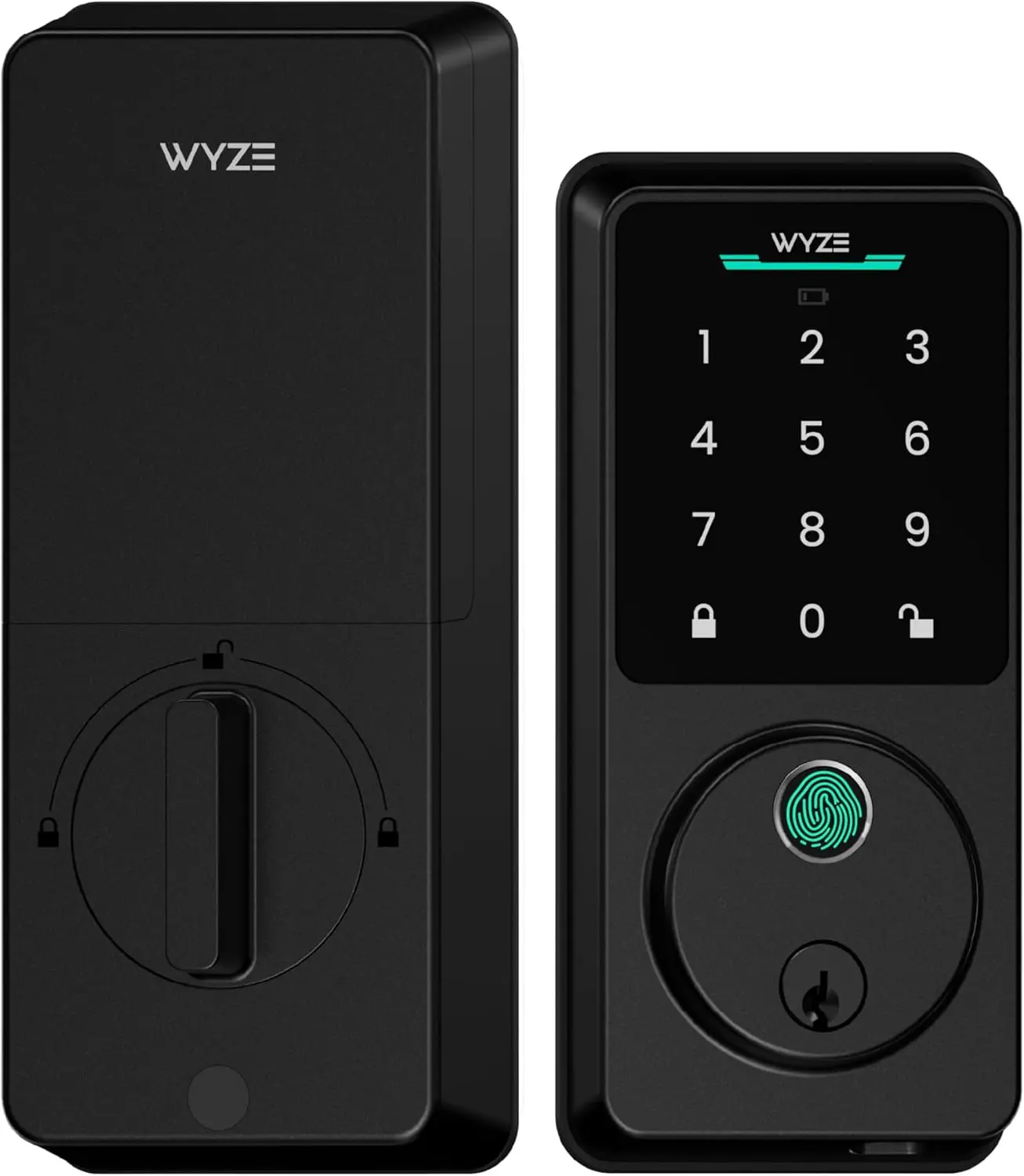
The cheapest lock here worth putting on a door — but "Wyze Lock Bolt" now names two products with different radios, different batteries, different weather ratings and opposite security arguments. Read the model number before you read the review.
- Fingerprint and keypad at a price nothing else matches
- Anti-peep entry accepts up to twenty padding digits
- Original has no keyway and no internet — a tiny attack surface
- v2 stores fingerprint data on the lock, not in the cloud
- v2 adds remote access, 50 codes and a graded body
- Both integrate with Wyze doorbells for unlock from the live feed
- One product name, two incompatible security stories
- v2 trades the "not on the internet" advantage away entirely
- v2's IP53 is a step down in weather sealing
- Original has no key backup — dead battery, dead door
- Wyze's own security record is the worst on this page
The original Lock Bolt earned its place here for what it deliberately left out. Bluetooth only, thirty-foot range, no internet connection of any kind, and no keyway — which meant it could not be picked, could not be bumped, and could not be attacked remotely because there was nothing to attack. It was not secure because of clever cryptography. It was secure because it refused to participate.
The Lock Bolt v2 is a different lock wearing the same name. It has built-in Wi-Fi. It ships with physical keys. It runs on eight AA cells instead of four, is rated IP53 rather than IPX5, is certified BHMA Grade 2, adds a USB-C jump port, holds fifty codes, and adds an AI fingerprint reader that adapts to your finger over time. Every one of those is a defensible improvement. Together they demolish the exact argument that got the original onto this list. If you came here for "the lock that cannot be hacked because it is not online," you want the original, and you want to check the box carefully, because both are on sale.
Now the part that applies to both. Wyze's security history is the weakest here, and we are not going to soften it. Bitdefender disclosed a set of flaws in March 2019 that were not fully patched until January 2022 — nearly three years. The Cam v1 could not be fixed at all and was retired in February 2022. Then in February 2024, roughly 13,000 Wyze users were shown thumbnails and feeds from strangers' cameras after a caching library mismapped device and user identifiers, following a similar incident the previous September.
Again, those were cameras. A deadbolt is a far simpler device with far less to leak, and the v2's decision to keep fingerprint templates on the lock rather than in the cloud is the right one. But when a company's pattern is slow patching and repeated identifier mix-ups, the version of its lock that is not connected to the internet starts looking less like a compromise and more like the point. Our full Wyze Lock Bolt review has the detail.
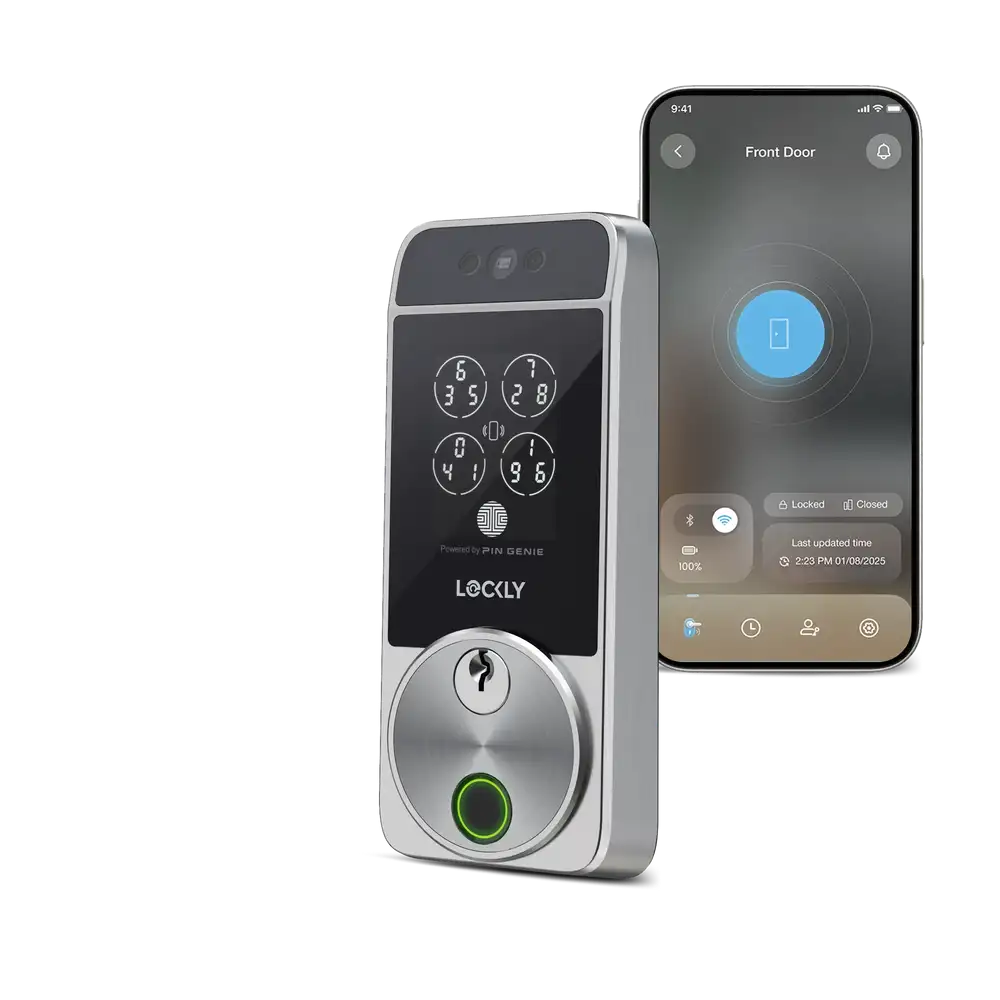
Face, fingerprint, code, key, card, app and voice, plus a camera that doubles as a doorbell — and the only keypad on this page where the digits physically move between uses.
- More ways in than anything else here
- Shuffling keypad genuinely defeats smudge and shoulder-surf attacks
- 3D face recognition with liveness checks, per manufacturer
- Camera replaces a separate doorbell
- Matter certified
- Most expensive lock on the list
- Industrial-looking, and there is a lot of it
- Grade 2 at a Grade 1 price
- Face recognition on locks is still young technology
- More unlock methods means more ways in for someone else too
The PIN Genie keypad is the feature worth the money, and it solves a problem the rest of this industry pretends does not exist. Every fixed keypad eventually tells on you. Four buttons wear smooth, or hold fingerprints, or catch a low sun at the wrong angle, and now an attacker has four digits and at most twenty-four combinations to try. Lockly's keypad rearranges which digits sit where between uses. Watching someone type teaches you the shape of their hand movement and nothing else, because next time the 7 will be somewhere different. It is the only genuinely novel piece of physical security engineering on this page.
The face recognition is the headline and the part to be coolest about. Lockly states the system builds a three-dimensional model and checks for liveness so a photograph will not open the door. That is the manufacturer's description; we have not tested it, and neither, as far as we can find, has any independent laboratory. Treat it as a convenience feature that happens to be well designed rather than as a security guarantee — and note the general principle that every additional unlock method is another door into the same house.
The Locks That Open Before You Touch Them
Ultra-wideband (UWB) is a short-range radio that measures distance and direction precisely enough to know not just that your phone is nearby, but that it is moving toward the door. That distinction is the whole point. Bluetooth geofencing has always been a blunt instrument: it fires when you pull into the driveway, or when you walk past your own front door on the way to the bins, or when your phone is on the hall table and you are asleep upstairs. UWB is meant to fix that by reading speed, trajectory and intent.
Two of these shipped in 2026 and we have not ranked them against the ten above, for a reason worth stating plainly: the technology is new, the independent reports on it disagree with each other, and we would rather tell you that than pretend to a confidence we do not have. Both are worth your attention. Neither is the safe choice.
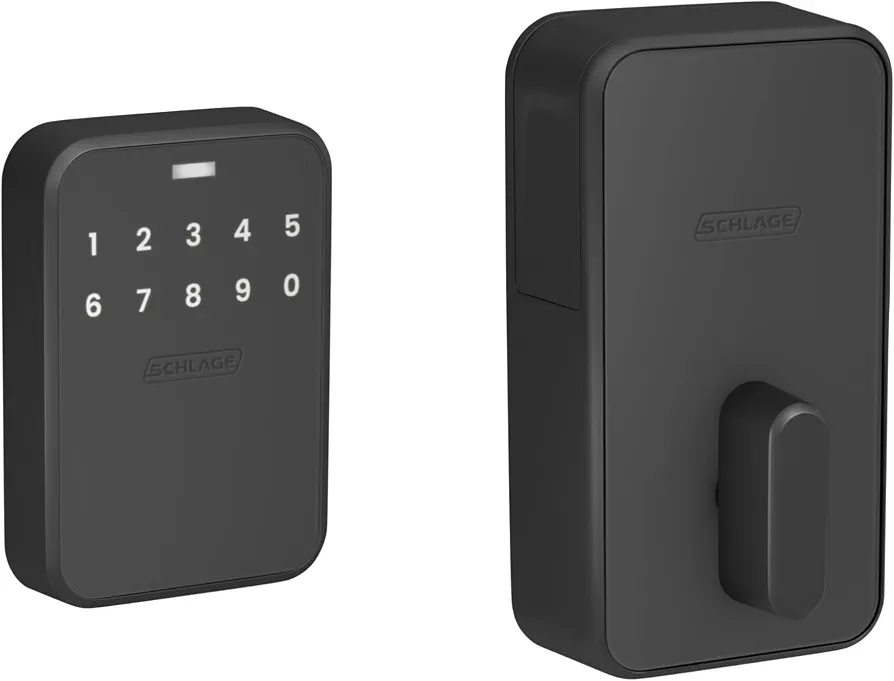
Announced at CES in January 2025, shipped 29 June 2026. Schlage's first Matter lock, first ultra-wideband lock, and — awkwardly — a lower grade than the cheaper Encode Plus sitting at number one.
- Reads intent, not just proximity — the right idea
- Schlage's first Matter over Thread lock
- Built to the Aliro standard, so Android is coming
- 250 codes, the most here
- USB-C jumpstart port instead of a 9V ritual
- No keyway means nothing to pick or drill
- Grade 2 at $399 — the $250 Encode Plus is graded higher
- Hands-free unlock was inconsistent in independent testing
- Android support is promised, not delivered
- Eighteen months from announcement to shipping
- No key backup at all
Schlage calls the system Converge. It pairs UWB with the home key in your Apple Wallet and calculates your speed, trajectory and motion to work out whether you actually intend to come in, holding off until you reach the door rather than firing the moment you enter the driveway. When it works it is the closest thing to magic on this page.
The trouble is the "when." One publication ran it for over two months and came away impressed. Another tested it across multiple configurations — Apple Home and Matter both — and reported that it could not get hands-free unlocking to behave consistently, while tapping with an iPhone or Apple Watch worked every single time and the PIN pad worked flawlessly. Those two accounts are not necessarily in conflict; door geometry, hub placement and phone model all plausibly matter. But if the headline feature is the reason you are spending $399, you should know that at least one careful reviewer could not make the headline feature work.
And then the grade. This is Schlage's flagship. It costs roughly $150 more than the Encode Plus. It is certified ANSI Grade 2, where the Encode Plus holds commercial Grade 1 and residential AAA. That is not a scandal — Grade 2 is a perfectly sound residential deadbolt, and the Sense Pro has no keyway to attack, which is its own kind of security. It is simply worth saying out loud, because nobody buying a flagship expects to be trading down on the one number that describes how the thing survives a shoulder.
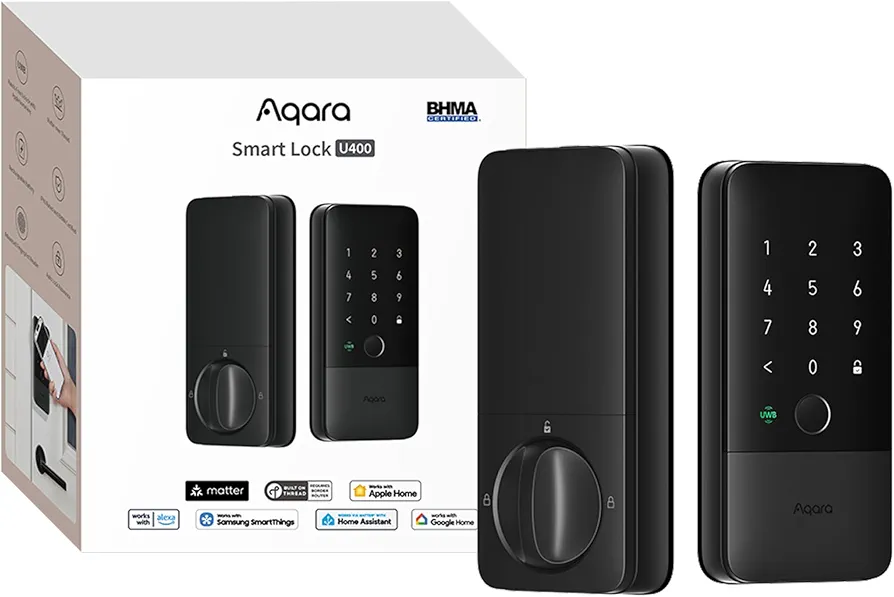
Launched at CES in January 2026 and beat Schlage to market by six months at two-thirds the price. Fingerprint, keypad, card, key and hands-free approach unlocking, in a weather-sealed body.
- First ultra-wideband lock you could actually buy
- Around $130 less than the Schlage equivalent
- Keeps a physical key, unlike the Sense Pro
- IP65 sealing and a gyroscope-driven auto-lock
- Recharges, and can be revived from a USB power bank
- Four finishes rather than two
- Needs an Aqara hub for Google Home and Alexa — the U200 does not
- Hands-free unlock needs a UWB-capable Apple home hub
- An older Apple TV will not do it — see below
- Unmistakably a gadget on your door
- Too new for a meaningful reliability record
Aqara got here first, and by a comfortable margin — on sale in January, six months before Schlage, at two-thirds the price. It does the same trick: walk up with an iPhone or Apple Watch carrying a home key and the bolt withdraws as you arrive. It also keeps a fingerprint reader, a keypad, a near-field communication (NFC) card option and, unlike the Sense Pro, a physical key.
The gotcha is the one nobody puts on the box, and it has already caught buyers. Hands-free unlocking needs a UWB-capable Apple home hub in the house. A HomePod mini or a current Apple TV 4K will do it. An older Apple TV HD will not — you can install the lock, set everything up correctly, and simply never see the feature work, with nothing in the app to tell you why. Check what is under your television before you buy.
The other trade is platform reach. The U200 talks natively to Apple, Google, Alexa, SmartThings, Home Assistant and IFTTT with no hub at all. The newer, more expensive U400 requires an Aqara hub to reach Google Home and Alexa. If you are deep in Apple, take the U400. If your house is mixed, the older lock is quietly the better buy — which is not a sentence you often get to write about a product generation.
The Schlage Encode Plus holds the top spot, and its case is stronger than the marketing suggests: it is certified to both the commercial deadbolt standard and the top residential mark, it has a real tamper alarm, a lifetime mechanical warranty, and an owner that did not change hands in the last three years of industry musical chairs. It also routinely street-prices well below its list price, which makes it better value than the tag suggests.
For renters, the August WiFi Smart Lock on a decent deadbolt remains the right answer, with the emphasis firmly on decent deadbolt. For the best hardware-per-dollar, the Ultraloq U-Bolt Pro at its current price is remarkable value provided you treat its Grade 1 claim as unverified. And if you want the future, the Aqara U400 gets you there for a good deal less than Schlage charges.
Can Smart Locks Be Picked? A Locksport Perspective
This is the first question every lock person asks, and the honest answer is that "smart lock" tells you almost nothing about pickability. What matters is which of three categories the lock falls into — and two of those categories are not really about the electronics at all.
Locks with a physical keyway. The Schlage Encode Plus, Kwikset Halo Touch, eufy S230, Ultraloq U-Bolt Pro, Lockly Visage and Aqara U400 all accept a key. Everything true of an ordinary cylinder is true of theirs. A Schlage cylinder with security pins is a genuinely awkward pick; a SmartKey wafer cylinder is immune to bumping and raking but has a documented torque bypass and a decoder sold to the trade. The electronics bolted to the front change none of this. If someone is going to defeat your smart lock by manipulation, they are going to do it to the mechanical part, because the mechanical part is the only part standing in a hallway where they can reach it.
Locks with no keyway. The key-free Yale Assure Lock 2, the Wyze Lock Bolt original and the Schlage Sense Pro have no cylinder whatsoever. You cannot pick what does not exist — there is nowhere to place a tension wrench, no pins to set, no wafers to read. Against the entire manipulation toolkit these are perfect, and that is not a marketing claim, it is geometry. The cost is that you have removed your own last-resort mechanical override, which is why every one of them has some backup power arrangement: 9V terminals under the Yale keypad, a USB-C port on the Sense Pro.
Retrofit locks. The August, Level and Aqara U200 inherit whatever is already in your door. Their pick resistance is your existing deadbolt's pick resistance, exactly, with no adjustment. This is the single most misunderstood point in the category, and it is why you will never see us assign one of these a grade.
Two things worth adding that get lost in the picking conversation. First, picking is rare. It is skilled, slow, and leaves you crouched at a stranger's door for minutes. Overwhelmingly the realistic attack on a residential door is force — a boot, a pry bar, thirty seconds — and force does not care about your cylinder at all. It cares about your frame. Second, if you want to understand what a bump key actually does and why a wafer sidebar shrugs it off, our bump key explainer covers the mechanism properly.
A key-free smart lock cannot be picked. A Grade 1 smart lock resists a drill. Neither of them helps when the frame gives way and the whole strike plate leaves with the door.
— NoPryZoneFor more on the physical side, see our ANSI Lock Grades Explained guide, our Best Deadbolts of 2026 round-up, and — the one that actually matters most — door frame reinforcement.
ANSI Grade 1 vs Grade 2 — What It Actually Means
If you take one thing from this page, take this section, because the grading system is routinely explained wrongly — including by the manufacturers themselves.
There are two separate grading systems, and packaging cheerfully mixes them.
The commercial system is what "Grade 1, Grade 2, Grade 3" refers to. For deadbolts the relevant standard is ANSI/BHMA A156.36, Auxiliary Locks. It is designed for buildings where a door might be opened four hundred times a day — schools, hospitals, offices. The residential system is newer. BHMA published its first residential standards in 2015: A156.39 for locksets and latches, and A156.40 for deadbolts. Residential products are not graded 1, 2, 3. They are graded A, B or C in each of three separate categories — Security, Durability and Finish. C is good, B is better, A is best, and a lock that scores A in all three is described as AAA.
So "Grade 1, the highest residential rating" is not a slightly loose phrase. It is two systems welded together. Grade 1 is the top of the commercial scale. AAA is the top of the residential scale. A lock can hold one, both, or neither.
Commercial deadbolts (A156.36). Grade 1: 250,000 cycles, ten impact blows at 75 foot-pounds, and the highest strike-force threshold. Grade 2: 150,000 cycles, five blows. Grade 3: 100,000 cycles, two blows. In every case the lock must still work afterwards.
Where the wrong number comes from. You will see 800,000 cycles quoted for Grade 1 all over the internet. It is a real figure — it is the Grade 1 requirement for knobs and levers under a different standard, A156.2. Deadbolts turn a heavy bolt through a frame and are tested to a lower count for exactly that reason. Quoting 800,000 for a deadbolt is a true fact attached to the wrong object, which is the single most common way security writing goes wrong.
And Grade 3 is not "interior doors only." It is the entry level of a commercial standard. Plenty of perfectly adequate residential deadbolts sit there.
Which brings us to the more useful question: how do you check whether a lock actually has the grade printed on its box?
You look it up. BHMA maintains a public Certified Products Directory (CPD) listing every product an accredited third-party laboratory has actually tested and certified. There is also a consumer-facing site, securehome.org, dealing specifically with the two residential standards. Certified residential products carry a "BHMA Certified Secure Home" label showing the A, B or C awarded in each of the three categories. Ninety seconds in that directory settles any argument about any lock on this page.
One detail that makes the residential grades tougher than they look: the grade in each category is the lowest result in that category. Fifteen tests, fourteen at A level and one at B, and the category is a B. There is no averaging and no rounding up.
This is the trick to watch for, and it is everywhere. A product that says it is certified has been tested by an accredited laboratory and listed by BHMA. A product that says it meets a standard is telling you the manufacturer's own opinion of how it would do if it were tested.
BHMA is blunt about this. Asked by PCWorld, a spokesperson said "meets standards" claims are considered misleading and that the association writes to companies asking them to actually certify the product, adding that misuse of BHMA certification logos on uncertified hardware is commonplace — which is precisely why they point consumers at the directory.
The Ultraloq U-Bolt Pro at number four is the live example on this page. Ultraloq's own product page says the lock "Meets ANSI A156.36 Grade 1 Standard." The Amazon listing for the same lock says "Certified." The Walmart product title says "ANSI Grade 1 Certified" while the description below it says "Meets." PCWorld's assessment was that it meets Grade 1 standards according to the manufacturer but is not certified as such. We are not telling you the lock is weak. We are telling you that the one number on the box that is supposed to be independently verified is, in this case, not.
Who Actually Makes Your Smart Lock
You would not think brand ownership belonged in a lock review. It does, for three reasons: it determines who honours your warranty, who runs the cloud your convenience features depend on, and whether the brand on your door will still exist in five years. It is also the fact that current articles get wrong most often — including pieces published this year, which confidently state that August and Yale are ASSA ABLOY brands.
They are not, in North America. Here is what actually happened.
In September 2021, ASSA ABLOY — the Swedish giant behind a hundred-plus lock brands — agreed to buy Spectrum Brands' Hardware and Home Improvement division for $4.3 billion. That division included Kwikset, Weiser and Baldwin. A year later the United States Department of Justice (DOJ) sued to block it, arguing the combination would hand ASSA ABLOY a monopoly in mechanical residential door hardware.
The settlement required a divestiture. On 20 June 2023, both halves closed on the same day: ASSA ABLOY completed the $4.3 billion purchase, and simultaneously sold its Emtek and Schaub hardware businesses along with the United States and Canadian Yale and August residential and multifamily smart lock businesses to Fortune Brands for $800 million.
The result is a map most people have never seen:
- ASSA ABLOY — Kwikset, Weiser, Baldwin, Abloy, Medeco, and Level. Also Yale and August outside North America.
- Fortune Brands — Yale and August in the US and Canada, plus Emtek, Schaub, Master Lock, SentrySafe and Moen.
- Allegion — Schlage. Did not change hands, has not been part of any of this.
So on a single page of smart lock recommendations you have two locks whose parent was ordered by the DOJ to sell them, one lock made by the company that bought them, one made by a company that sat the whole thing out, and one — Level — bought by ASSA ABLOY in September 2024, fifteen months after it was forced to sell its American residential smart lock business, and largely dismantled in June 2026.
The practical upshot is short. If you buy Yale or August in the States, your warranty is a Fortune Brands warranty. If you buy Level, your cloud features sit inside ASSA ABLOY. If you buy Schlage, none of this touches you, which is a quiet argument in its favour that nobody puts on the packaging.
What Happened Last Time — The Security Record
Every one of these companies will tell you its lock is secure. Here is what the record actually shows, because past behaviour under pressure is better evidence than a marketing page, and because a couple of these stories are genuinely good.
August, 2016 — the model response. At DEF CON 24, a researcher going by Jmaxxz presented Backdooring the Frontdoor: certificate pinning bypassed, the entire API mapped, a guest account escalated to owner, credentials sitting in debug logs. Comprehensively bad. August shipped fixes in roughly ten days. The system uses the Advanced Encryption Standard (AES) with 256 key slots, one of which is a permanent privileged firmware key. Ten days is the number to remember, because it is the benchmark everything below fails to meet.
Wyze, 2019 to 2024 — the slow one. Bitdefender disclosed flaws in March 2019 that were not fully patched until January 2022. The Cam v1 could not be fixed and was retired in February 2022. Then in February 2024, around 13,000 users were shown other people's camera feeds after a caching library mismapped device and user identifiers — following a similar incident five months earlier.
eufy, 2022 to 2023 — the marketing problem. Devices sold on the promise of "No Clouds or Costs" were found uploading facial thumbnails to Amazon Web Services with cloud storage switched off. The Verge streamed footage from one across the country unencrypted. Anker's admissions arrived in stages over several months, ending with the acknowledgement that the cameras had never been end-to-end encrypted.
Ring, 2023 — the expensive one. Ring does not make a lock, but it makes the doorbell most of these locks talk to, so it belongs here. In May 2023 Ring settled with the Federal Trade Commission (FTC) for $5.8 million. The findings included unrestricted employee and contractor access to customer video, two documented instances of staff viewing women's private recordings — one continuing for months — no multi-factor authentication until 2019, and roughly 55,000 accounts compromised between January 2019 and March 2020. Ring denied violating the law and accepted a twenty-year compliance obligation.
Read those four together and a pattern emerges that is more useful than any individual scandal. Every one of these incidents was a cloud failure, not a lock failure. Nobody picked anything. Nobody drilled anything. The weak point was an account system, a caching layer, a storage bucket, an internal access policy. Which is the strongest available argument for the boring principle running through this whole page: prefer the lock that still works when the company's servers do not.
What to Look for in a Smart Lock
Physical Security First
Before the app, before the voice assistant, check the certification — and check it in the BHMA directory rather than on the box. For a full-replacement deadbolt you want commercial Grade 1 or residential AAA, and ideally, like the Encode Plus, both. Grade 2 is genuinely fine for a typical suburban front door. Ungraded is a gamble on a primary entrance. Then look for the things grades do not measure: a tamper alarm, an anti-drill plate, and a strike plate you can fix into the stud rather than the casing. And remember that a retrofit lock has no grade of its own and never will.
Connectivity
Built-in Wi-Fi (Schlage, Kwikset, eufy, Ultraloq, Lockly, Wyze v2) needs no hub and no bridge, but ties you to the manufacturer's servers for remote access. Bluetooth only (the original Wyze Lock Bolt) gets you about thirty feet, no remote anything, and no internet-facing attack surface. Matter over Thread (Aqara U200 and U400, Level, Schlage Sense Pro) is the one to prefer where you can: local control, no vendor cloud required, and cross-platform by design. Modular (Yale Assure Lock 2) lets you change your mind later for the price of a module. Note also that almost every Wi-Fi lock here is 2.4GHz only — if your router hides that band behind a single combined network name, expect a fight during setup.
Unlock Methods
Every additional method is a convenience and a surface. The base three are PIN keypad, physical key and app. Beyond that: fingerprint (Ultraloq, Kwikset, eufy, Wyze, Aqara U400), which is fast and fails in the rain; Apple Home Key (Schlage, Yale, Level, Aqara, Sense Pro), which taps to open and keeps working for several hours after an iPhone's battery gives out, thanks to power reserve; hands-free approach (Sense Pro, U400); and face recognition (Lockly Visage). If your keypad is fixed rather than shuffling, clean it occasionally — worn or greasy buttons narrow a four-digit code to a handful of guesses.
Battery Life
Treat every quoted figure as a ceiling. Yale rates the Assure 2 at up to twelve months and owners routinely report three to six, particularly on a weak Z-Wave mesh. The August's CR123A cells are expensive and short-lived. Rechargeable designs (Aqara, Lockly) remove the running cost entirely. What actually matters is the failure plan: a physical key, 9V terminals under the keypad, a USB-C jump port, or the ability to revive the lock from a power bank. Every lock here has one. Know which one is yours before you need it, ideally while standing in your kitchen rather than on your porch.
Smart Home Compatibility
Apple Home and Home Key: Schlage Encode Plus and Sense Pro, Yale Assure Lock 2, Level Lock+, Aqara U200 and U400, Lockly Visage. Alexa and Google: everything except the original Wyze Lock Bolt. Matter: Level, Aqara, Lockly, Sense Pro. Watch the hub requirements rather than the logo list — the Aqara U200 reaches Google and Alexa natively while the newer U400 needs an Aqara hub to do it, and anything Thread-based needs a border router somewhere in the house.
Hands-Free Unlocking
New in 2026, and worth understanding before you pay for it. Ultra-wideband measures distance and direction accurately enough to distinguish "walking to the door" from "standing in the kitchen with the door six feet away." That is a real improvement on Bluetooth geofencing, which cannot. But it needs the right phone, the right home hub and — for now — an Apple household, with Android support arriving through the Aliro standard once certification lands. Independent reports on reliability disagree. Buy it because you want to be an early adopter of something genuinely new, not because you need it to work every time on day one.
Retrofit vs. Full Replacement
Retrofit locks — August, Level Lock+, Aqara U200 — replace only the thumbturn on the inside of your door. Your exterior hardware does not change, your keys keep working, installation takes fifteen to twenty minutes with a screwdriver, and the whole thing is reversible in ten. The trade is total: your physical security is your existing deadbolt's physical security, unchanged. A retrofit is a convenience layer on someone else's lock.
Full replacement locks — Schlage, Yale, Kwikset, Ultraloq, eufy, Lockly, Wyze — swap the entire deadbolt assembly. Fifteen to thirty minutes, and you get the manufacturer's bolt, cylinder, housing and certification as a tested unit. This is the only route to a graded lock. It is also the route that requires you to own the door, or to ask.
The measuring tape decides more of this than people expect. Before you buy any full replacement, check three numbers: door thickness (most locks want 1¾ inches), backset (2⅜ or 2¾ inches, from the door edge to the centre of the bore), and cross-bore diameter (usually 2⅛ inches). Locks that will not fit a non-standard door are the single most common cause of a return.
If you rent, a retrofit is the obvious answer — nothing permanent changes, and you take it with you. But your August is only as strong as your landlord's deadbolt, and landlords do not buy good deadbolts.
The move worth making: ask whether you can replace the deadbolt itself, offer to keep the original and reinstall it when you leave, and offer the landlord a key. Most say yes, because a better lock on their property costs them nothing. A Schlage B60N runs $33–52. That deadbolt with a $200 retrofit on top is a completely different proposition from the same retrofit on a $15 builder-grade cylinder — and it is the cheaper half of the pair doing the actual security work.
Model Numbers That Will Catch You Out
Lock manufacturers reuse names across products that behave completely differently. This is not carelessness on their part; it is how a brand keeps the reviews and star ratings attached to a familiar name. It does mean that reading a review of the wrong variant will teach you things about your lock that are not true. The ones on this page:
- Wyze Lock Bolt vs Lock Bolt v2 (WLCKB2). The original is Bluetooth-only with no keyway, 4 AA cells and IPX5. The v2 has built-in Wi-Fi, ships with keys, takes 8 AA cells and is IP53. Same name, opposite security argument.
- Schlage Encode vs Encode Plus (BE489 vs BE499). The Plus adds Apple Home Key and better door-position sensing. Some listings tag the Encode Plus as a "2026 Edition" — that is a label, not a hardware revision.
- Yale Assure Lock 2, the whole range. YRD410, 420, 430 and 450 differ by keypad type and whether there is a keyway at all, and the suffix names the radio: BLE is Bluetooth-only, WF1 is Wi-Fi, ZW2 is 500-series Z-Wave. Owners report that 700-series Z-Wave modules are not officially supported across the Assure 2 range. A $130 listing and a $250 listing under the same product name are not the same lock.
- Aqara U200 vs U400. The U400 adds ultra-wideband and drops native Google and Alexa support, which now needs an Aqara hub. Newer is not strictly better here.
- Kwikset 660. Not on this list but worth knowing: it ships in both pin-tumbler and SmartKey versions under one model number, and they defend against completely different attacks.
The general rule: match the full model code on the box against the review you are reading, not the brand name on the front. Our how we pick page explains why we now audit at the model-number level.
Frequently Asked Questions
It depends entirely on the lock. Smart locks with a physical keyway (Schlage, Kwikset, eufy, Ultraloq) can be picked like any cylinder lock, though security pins make it considerably harder. Key-free locks (Yale Assure Lock 2 key-free, the original Wyze Lock Bolt, Schlage Sense Pro) have no cylinder at all — there is nothing to pick or bump. Retrofit locks (August, Level, Aqara U200) inherit whatever deadbolt you already have, so their pick resistance is your existing lock's pick resistance.
The realistic risk is not someone cracking the lock's encryption — it is your account. Every major incident in this category has been a cloud or account failure rather than a broken radio: Ring's $5.8 million FTC settlement over employee video access, Wyze showing 13,000 users other people's feeds, eufy uploading images it said it did not upload. Locks use AES encryption, though the key length varies by manufacturer, and Bluetooth-only locks have no internet-facing surface at all. Use a unique password and turn on two-factor authentication — that closes the door that actually gets used.
You will get weeks of warning through the app first. If it does die, the answer depends on the lock: models with a keyway open with the backup key; the Yale Assure Lock 2 takes a 9V battery held against the two terminals below the keypad, long enough to type your code, which is documented in Yale's own manual; the Schlage Sense Pro has a USB-C jumpstart port; and the Aqara U400 can be revived from a USB power bank. Find out which applies to your lock before you need it.
Grade 1 and Grade 2 come from the commercial standard, A156.36. For deadbolts, Grade 1 requires 250,000 cycles and ten impact blows at 75 foot-pounds; Grade 2 requires 150,000 cycles and five blows; Grade 3 requires 100,000 and two. Residential locks use a different system entirely — A156.40 grades products A, B or C for Security, Durability and Finish, with AAA as the top mark. Grade 1 is therefore not "the highest residential rating"; it is the top of a different scale. The Schlage Encode Plus holds both.
For most people, yes — and the reason is duller than the marketing suggests. Auto-lock eliminates the most common residential security failure, which is not a defeated lock but an unlocked one. Guest codes end the hidden key under the mat. Access logs tell you who came and went. Those are real gains. Just do not let a smart lock persuade you the door is solved: the frame and strike plate fail long before the cylinder does.
Yes. Every lock here works locally — PIN, fingerprint, key or tap all function with the internet down. Wi-Fi is only needed for remote access from beyond Bluetooth range and for some smart home features. Matter over Thread locks go further and keep working through a local hub with no manufacturer cloud involved at all. The original Wyze Lock Bolt never touches the internet by design.
Search the BHMA Certified Products Directory, which lists every product an accredited laboratory has actually tested and certified; securehome.org covers the two residential standards for consumers. Watch the wording on the packaging: "certified" means a laboratory tested it, while "meets" means the manufacturer believes it would pass. BHMA considers "meets standards" language misleading and says misuse of its certification logos is commonplace. It takes about ninety seconds to check.
No — it is a convenience feature, not a security one. Ultra-wideband lets the lock tell that you are walking toward the door rather than merely nearby, which fixes the false triggers that make Bluetooth auto-unlock annoying. The Aqara U400 arrived in January 2026 and the Schlage Sense Pro in June, and independent reports on how consistently the hands-free unlocking works do not agree with each other. It also needs a compatible phone and home hub. Buy it because it is interesting, not because your door needs it.
A retrofit lock like the August or Aqara U200 replaces only the interior thumbturn, changes nothing on the outside, keeps your existing keys and comes off in ten minutes — most leases have no problem with it. The catch is that it inherits your landlord's deadbolt, and that deadbolt is usually the cheapest thing that would pass inspection. Ask whether you can swap the deadbolt too, offer to keep the original and refit it when you leave, and offer a key. A good deadbolt costs less than the smart part sitting on top of it.
In the United States and Canada, Fortune Brands — not ASSA ABLOY, which many current articles still say. When ASSA ABLOY bought Spectrum Brands' hardware division for $4.3 billion, the Department of Justice sued, and the settlement forced it to sell the US and Canadian Yale and August residential smart lock businesses, along with Emtek and Schaub, to Fortune Brands for $800 million. Both deals closed on 20 June 2023. ASSA ABLOY still owns Yale and August elsewhere in the world, plus Kwikset and Level. Schlage belongs to Allegion and was not involved.
The Lock Is Only as Strong as the Door
A $400 smart lock on a hollow-core door with a strike plate held in by three-quarter-inch screws is security theatre with a smartphone app. Every lock on this page can be defeated by a boot if the frame gives way, and in a residential break-in the frame is what gives way. The order of operations is a solid-core door, a reinforced strike plate anchored into the stud with three-inch screws, then a good deadbolt, and only then the smart part. That is not us being purists — it is the cheapest security you will ever buy, and it costs about fifteen dollars.
For maximum physical security: Schlage Encode Plus — commercial Grade 1 and residential AAA, tamper alarm, lifetime mechanical warranty, and it usually sells well under list. For versatility: Yale Assure Lock 2 — swap the radio instead of the lock, and the key-free version has nothing to pick. For renters: August WiFi, on the best deadbolt you can talk your landlord into. For value: Ultraloq U-Bolt Pro, currently around half its old price, with its grade claim taken as unverified. For the future: Aqara U400. And if you want the smallest possible attack surface, the original Wyze Lock Bolt is still the only lock here that cannot be reached from the internet, because it is not on it.
Pair any of them with a strong door and frame, visible outdoor cameras, a doorbell that records and a monitored alarm system, and you have layers — which is the only thing that has ever actually worked.
Testing status. Researched, not tested. We have not had these locks on a door. Where a number comes from someone who has, we say who and what kind of test it was. Where a claim could not be verified, we say that too rather than repeating it.
On the Apple Home Key figures. The first-tap success rates cited above — over 99% for the Encode Plus, roughly one failure in ten for the Level Lock+ — come from a single reviewer who ran the Encode Plus, Yale Assure 2 Plus and Level Lock+ side by side over several months in 2024. That is one person's long-term experience, not a laboratory measurement, and should be weighed accordingly.
Why some figures here differ from other sites. Grades and cycle counts are widely misreported. Grade 1 is the top of the commercial scale under A156.36; residential tops out at AAA under A156.40. The 800,000-cycle figure quoted for Grade 1 belongs to knobs and levers under A156.2, not deadbolts, which are tested to 250,000 at Grade 1 and 150,000 at Grade 2. Encryption key lengths vary by manufacturer rather than being a uniform AES-128. Prices were checked in August 2026.
Primary sources. Schlage specification sheet MR-6440 for the BE499 certifications; ANSI/BHMA A156.36, A156.39 and A156.40 and the BHMA Certified Products Directory for grading; Fortune Brands and ASSA ABLOY completion announcements dated 20 June 2023 for ownership; Schlage's June 2026 press release for the Sense Pro; Aqara's CES announcement for the U400; Wyze's product pages for the Lock Bolt v2 specifications; PCWorld's reporting for BHMA's position on certification language; The Verge's June 2026 reporting on the Level restructuring; DEF CON 24 for the August disclosure; Bitdefender for the Wyze timeline; the FTC for the Ring settlement.